What Is Two-Factor Authentication and Why Does It Matter?
Understanding the mechanics of digital identity protection is essential in our connected age, which is why learning about two-factor authentication and why does it matter is a smart move for any internet user. By requiring more than just a single password to gain entry, this security layer significantly reduces the risk of unauthorized access to your private accounts.
Whether you are protecting financial data or personal emails, you will find that implementing this simple step is one of the most effective ways to defend your digital presence. This article explores how these systems function and why they have become a standard necessity for modern online safety.
Defining Two-Factor Authentication
At its core, two-factor authentication is a security process that requires a user to provide two different forms of identification before gaining access to an account. Think of it as having a deadbolt on your door in addition to the standard lock on the handle.
Even if a thief manages to pick the first lock, they still cannot enter without the second key. This second factor is something only you possess, ensuring that a stolen password alone is insufficient for a hacker to compromise your data.
The system relies on three primary categories of credentials, often referred to as “factors.” The first is something you know, which is almost always a password or a personal identification number. The second category is something you have, such as a physical security key, a smartphone, or a trusted device.
The third category is something you are, which refers to biometric data like a fingerprint, a retina scan, or facial recognition. By combining these, you create a much stronger barrier against unauthorized entry.
When you log in, the website or application will first ask for your password. Once that is entered, the service triggers the second step, asking for proof that you are the legitimate owner of the account.
This might be a code sent via text message, an alert sent to an app on your phone, or a physical interaction with a hardware token. Because the attacker would need physical access to your device or your body in addition to your password, the likelihood of a successful breach drops significantly.
How It Functions in Practice
The technical process behind these security checks is designed to be quick and unobtrusive. When you initiate a login attempt, the server validates your credentials in real-time.
If the password is correct, the system checks if you have enabled an additional security layer. If you have, it generates a unique, time-sensitive token that acts as a digital handshake between your device and the service provider.
Many users prefer app-based verification because it does not rely on cellular service, which can be inconsistent. Apps like Google Authenticator generate a new six-digit code every thirty seconds based on a secret key shared between your phone and the service provider.
This is often safer than SMS-based codes, which can be intercepted by sophisticated attackers using a method called SIM swapping. By using a local device to generate the code, you eliminate the risk of a third party intercepting the transmission over the airwaves.
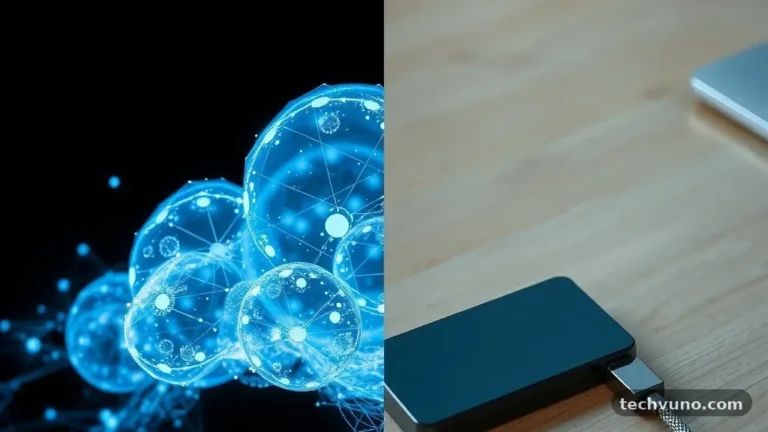
Hardware tokens, such as YubiKeys, represent another layer of security that relies on physical contact. When you plug the device into a USB port or tap it against your phone, it provides a cryptographic signature that verifies your presence.
This method is considered one of the most secure because it is impossible to replicate remotely. For those interested in the technical standards behind these tools, you can review the FIDO Alliance specifications to see how global organizations are standardizing these authentication methods.
Comparing Different Verification Methods
Not all security measures are created equal, and some provide significantly more protection than others. While any form of secondary verification is better than relying on a password alone, the convenience and security levels vary depending on the technology used. The following table compares common methods currently in use across the web.
| Method | Security Level | Convenience | Vulnerability |
|---|---|---|---|
| SMS Text Codes | Low | High | SIM Swapping |
| Authenticator Apps | Medium | Medium | Device Loss |
| Biometrics | High | High | Privacy Concerns |
| Hardware Keys | Very High | Low | Physical Theft |
Each method serves a different purpose based on the user’s risk profile and technical comfort. For a casual social media user, an authenticator app is usually the perfect balance of ease and defense.
A high-profile professional or someone managing significant financial assets might opt for a hardware key. The goal is to choose a method that you will actually use consistently, as the best defense is the one that remains active.
Why It Matters for Personal Security
The primary reason this security layer matters is that passwords are no longer enough to keep your data safe. Data breaches happen constantly, and millions of credentials are leaked on the dark web every year.
If you reuse your password across multiple sites, a breach at one minor retailer could give a hacker the key to your primary email or bank account. By enabling this extra step, you effectively neutralize the value of these stolen passwords.
Beyond simple password theft, phishing remains a massive threat to everyday users. Attackers often create fake websites that look identical to your bank or email provider, hoping to trick you into typing your credentials.
When you use a hardware key or an app that verifies the specific domain you are visiting, the phisher cannot replicate the second factor. This prevents them from successfully logging into your account even if they manage to trick you into handing over your password.
This security measure also provides a vital feedback loop. If you are sitting on your couch and suddenly receive an authentication request on your phone, you know immediately that someone else has your password.
This gives you the chance to change your credentials before any real damage is done. It turns your smartphone into a real-time monitoring device for your digital identity, alerting you to threats as they occur.
Addressing the Potential Downsides
While the benefits are clear, some users worry about the friction that these checks introduce. The most common complaint involves the time it takes to find a phone or enter a code during a login.
However, most modern browsers and operating systems now offer “remember this device” features that allow you to skip the second step for a set period on trusted computers. This balances the need for security with the desire for a smooth user experience.
Another concern is the fear of being locked out of an account if a device is lost or broken. This is a valid concern, which is why every service provider offers backup codes or recovery methods during the setup process.
These codes should be printed out and kept in a secure, physical location, such as a safe or a locked drawer. If you lose your phone, these recovery codes are your emergency key back into your digital life.
Some people also express frustration with services that do not support modern, easy-to-use methods. For example, a legacy site might insist on sending codes to an old email address you no longer use.
In these cases, it is important to audit your accounts periodically and update your contact information. If a service does not offer at least one modern, secure way to verify your identity, it may be time to reconsider if that company is trustworthy enough to hold your data.
The Role of Multi-Factor Authentication
The term multi-factor authentication is often used interchangeably with the two-factor variety, but it implies a more complex approach. While two-factor usually limits you to two distinct types of credentials, multi-factor can require three or more.
For example, a high-security corporate network might require a password, a physical key, and a fingerprint scan. This is rarely necessary for personal use, but it shows the direction in which security is heading.
As technology improves, we are seeing a shift toward “passwordless” authentication. This is the ultimate goal of multi-factor systems, where the password is removed entirely in favor of a combination of hardware keys and biometrics.
This approach is much safer because it removes the weakest link—the human memory—from the equation. You no longer have to worry about creating complex passwords or writing them down, as your physical presence becomes the key.
This transition is already happening on many mobile platforms. When you use FaceID or a fingerprint to log into your banking app, you are utilizing an advanced form of multi-factor authentication.
The system verifies that the device is yours, that you are the one holding it, and that your biometric signature matches. It is faster, more secure, and significantly harder for a remote attacker to compromise.
Common Misconceptions
A frequent myth about these security tools is that they make you 100% immune to hacking. Nothing in the digital world is completely bulletproof, and determined attackers will always look for new ways to circumvent protections.
However, security is not about building an impenetrable wall; it is about making the cost of entry too high for the average attacker. When an account is protected by two-factor authentication, the criminal will almost always move on to an easier target.
Another misconception is that it is only for tech-savvy individuals or IT professionals. In reality, the interfaces have become incredibly user-friendly over the past few years.
If you can unlock a smartphone and check a text message, you have the skills required to manage your own secure login procedures. The setup process usually takes less than five minutes, and the payoff is a lifetime of improved protection for your most sensitive data.
Finally, some people believe that because they have nothing to hide, they do not need to bother with these settings. This ignores the fact that your accounts are not just about your privacy; they are about your digital identity.
If your account is compromised, it can be used to send spam to your friends, steal your identity for fraudulent purchases, or lock you out of your own professional life. Protecting your accounts is a responsibility you owe to yourself and your community.
Frequently Asked Questions
Is two-factor authentication really necessary?
Yes, it is considered one of the most effective ways to prevent account takeovers. Because passwords are often leaked in massive database breaches, having a second layer of defense ensures that your account remains yours even if your password is compromised.
What if I lose my phone and can’t get into my account?
Most platforms provide backup codes when you first enable the service. It is vital to store these in a safe place. If you did not save them, you will need to follow the account recovery process, which usually involves verifying your identity through customer support.
Is it possible for a hacker to bypass this security?
While it is much harder than bypassing a password alone, sophisticated phishing attacks or SIM swapping can sometimes trick these systems. Using an authenticator app or a hardware key is much safer than relying on SMS codes, which are the most vulnerable.
Should I enable this on all my accounts?
You should prioritize accounts that contain sensitive information, such as your primary email, banking, social media, and cloud storage. Once you are comfortable with the process, applying it to every account you use is the best practice for complete security.
Is this technology being replaced by something else?
The industry is moving toward “passwordless” authentication, which combines biometrics and hardware tokens. While the underlying concept remains the same, the user experience is becoming smoother and more automated over time.
Conclusion
Taking the time to secure your accounts is one of the most proactive steps you can take in the digital age. By understanding two-factor authentication and why does it matter, you are better equipped to protect your personal information from the reality of modern cyber threats. It is not about living in fear of hackers, but rather about taking simple, sensible precautions that make your online life more resilient.
Start by enabling this feature on your most important accounts today, such as your primary email address and banking portals. Once you see how straightforward the process is, you will likely find it easy to apply to your other services.
Your digital identity is a valuable asset, and a little bit of effort today will pay off in long-term peace of mind. Should you have any questions about specific apps or hardware, reach out to the support channels of your service providers to see what they recommend for their users.